



Looking to take your home design to the next level with the help of AI? We tested AI interior design apps and tools that are hot in the market right now. It’s fair to say many surprised us, although not always positively. For sure they deliver in the visual field. Is that enough? We leave the answer to you, after weighing all pros and cons.
List of AI Interior Design Apps and Tools in this Guide
Full disclosure: Decorilla is the service behind this post. We’ve included it first because it represents a different approach from the other nine tools on this list — one that pairs AI technology with real human designers. The comparison speaks for itself.
How to Use Artificial Intelligence in Interior Design
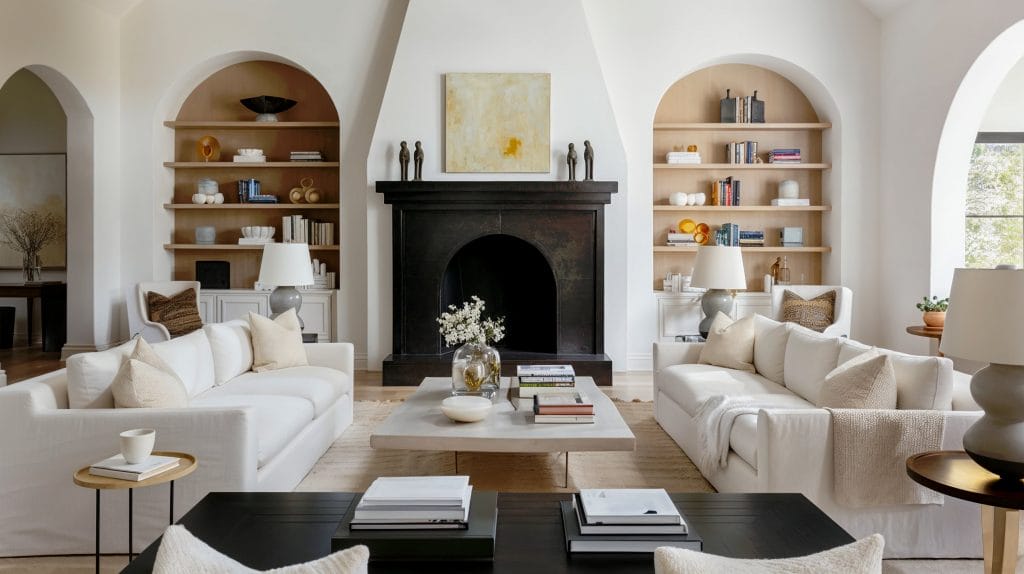
Like any specialized tool, AI room design needs some getting used to. These programs are often user-friendly, especially once you know how to communicate to get what you’re looking for. That said, the way to get there is by prompts, aka simple text commands. OK, perhaps not that simple when it comes to using AI for interior design.
These are the common steps to follow with AI interior design:
- Pick an AI interior design app with a robust AI component that adapts to your needs. This field is continually evolving, though, so don’t be surprised if the tool that delivers today suddenly becomes weird tomorrow. Just try another one.
- Set clear parameters by defining your preferences, as much as the tool allows.
- Specify the type of visualization you want, such as 3D, CAD drawing, moodboard, or floor plan. 3D visualizations in landscape format are usually great for general contractors to work with if you have to hand them off to a professional. The downside is that many tools offer a limited choice, as shown in our test results below.
- Provide feedback on your AI interior design to refine the final image, if the tool allows for edits.
- Experiment! Try different tools and different design angles. Some might excel in creating living rooms, while others might be better at kitchen design help.
Start your AI interior design transformation by taking our Free Interior Design Style Quiz today!
How We Tested AI for Room Design
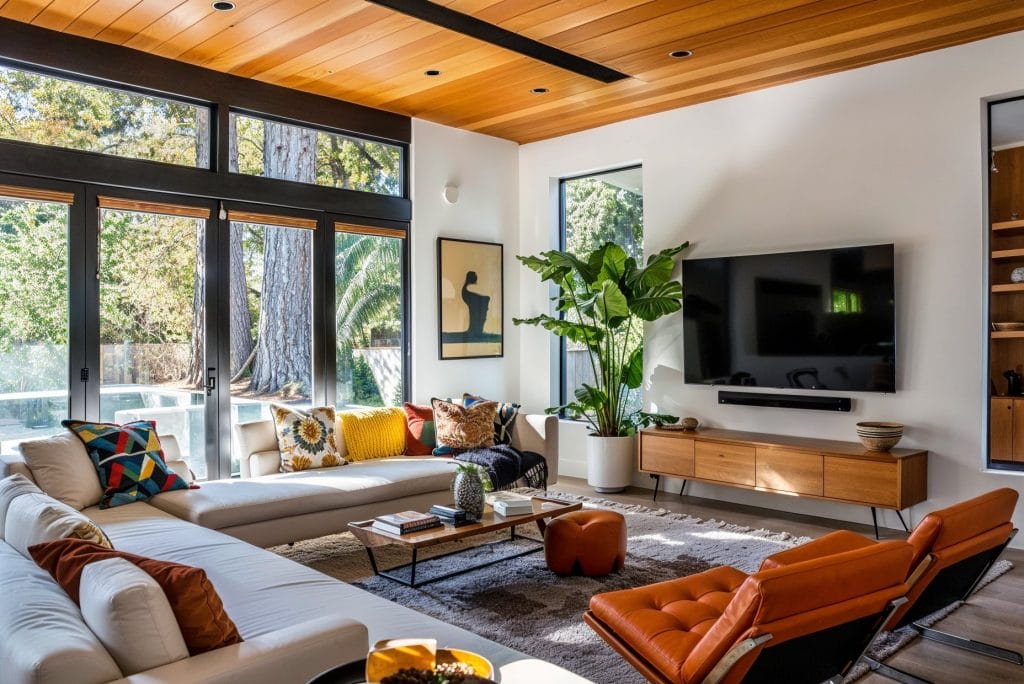
All of these AI interior design apps require signing up. The process is quick and in most cases can go directly through your Gmail account. What they also have in common is a handful of credits for free designs, but whether those will suffice or not depends on you. We say it mostly won’t, as each edit, as well as other iterations, eat up those free tokens in a blitz.
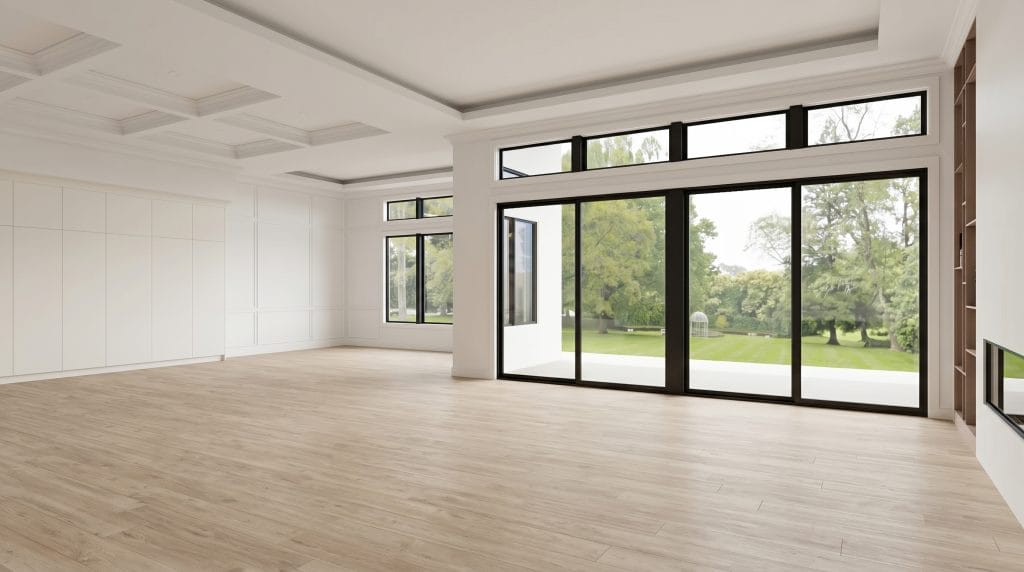
Eight out of the ten tested tools allow you to use a prompt from the beginning. To keep the testing as fair as it goes, we used the same room and same prompt with every tool. That’s actually the room from one of our existing projects, so you can compare and draw your own conclusions in the end. We were very specific with prompting details, relying on design language to make the output as close to the original vision as possible.
The Empty Slate
Our design base was a common large room, with the idea of transforming it into a transitional neutral interior. It’s an open plan layout featuring living + dining + kitchen, contemporary elegant with plenty of natural elements. No extremes, no bold details.
What We Found, In a Nutshell
After over a decade of offering top online interior design services, we dare say we have a vast experience in analyzing and understanding what the clients are looking for. And in terms of AI room design, the pain point remains the same. Functionality.
AI room decorator will deliver (mostly) on style, and some will generate beautiful interiors. If you just want it to look good, many tools will get you there. If you want a layout you can actually use, the list goes a bit shorter. And if your goal is a setup that eases and upgrades daily life, you might want to look into more traditional solutions.
There is also one crucial detail to consider before falling in love with AI design concepts. They are exactly that, concepts. AI design doesn’t take your overall budget into consideration, there are no compromises or cutting corners on less important things to get more value where it counts. That comes exclusively from working with a human interior designer.
That said, here are some interesting Interior AI apps on our list:
- Best Personalized AI Interior Designer: Decorilla
- Best Free AI Room Design Tool: ChatGPT
- Best Conversational AI Design Tool: Paintit.ai
- Most Versatile Interior Design AI Generator: REimagine Home
Best AI Interior Design Apps and Tools
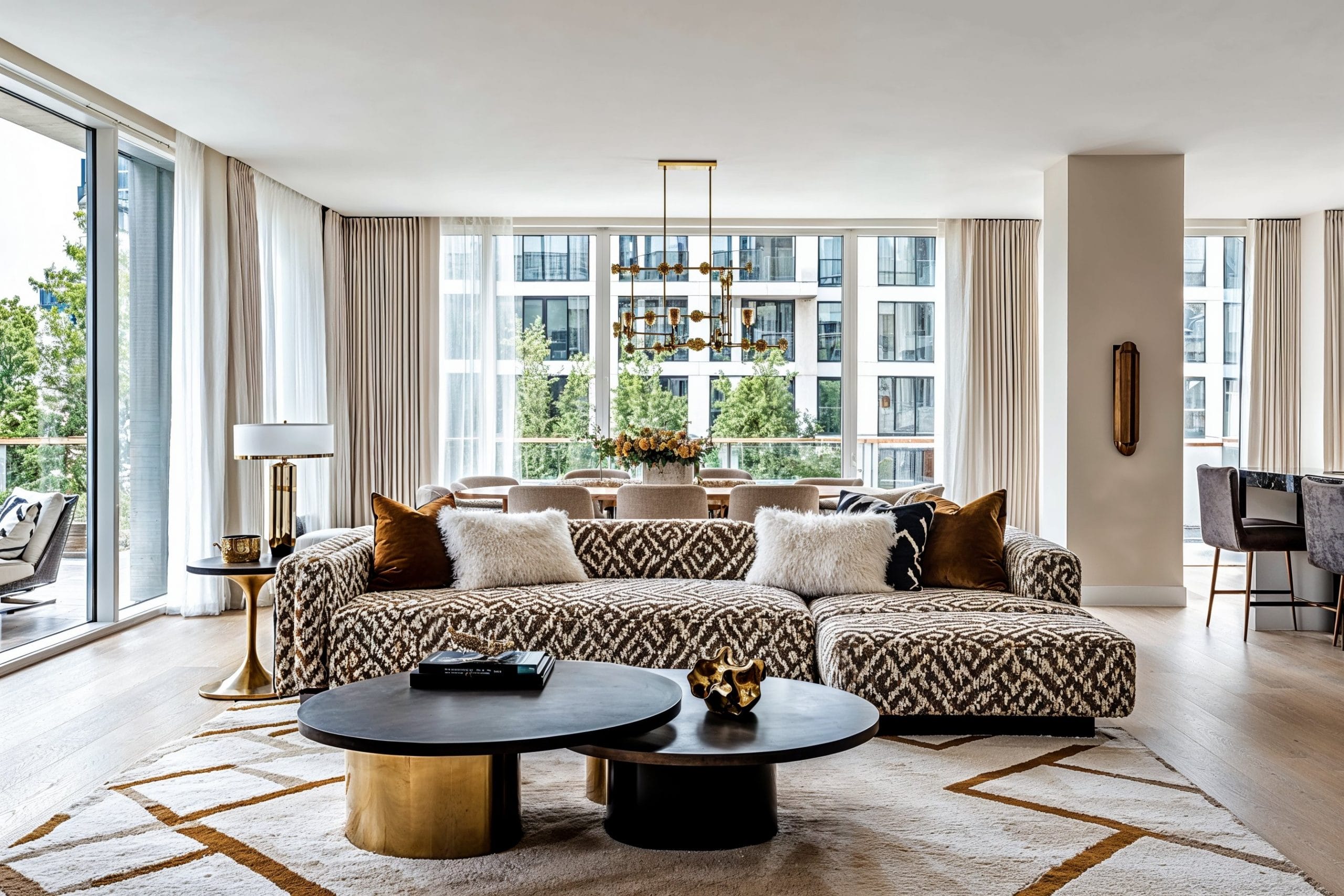
So here’s how AI interior design for free looks like. We’ll start with one interior of the same room designed by our professionals to compare against, and then validate and grade each tool independently.
1. Decorilla Online Interior Design
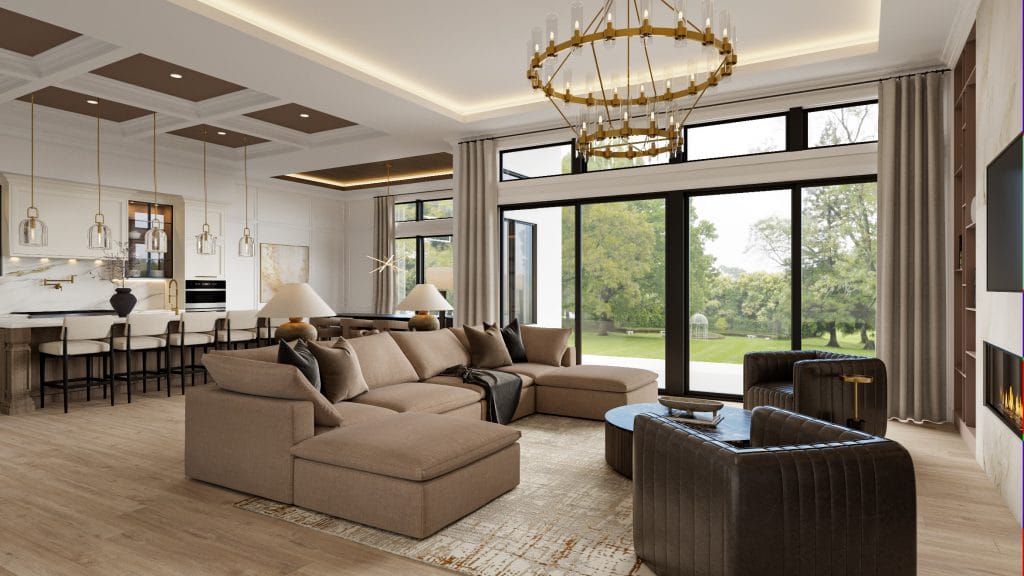
HOW IT WORKS: Interior AI design has a lot of application potential, but those do not involve creativity, emotional connection, and expertise human designers provide. Decorilla bridges that gap by bringing the best of both worlds: it integrates AI tools, Augmented Reality, and Virtual Reality technology. Paired with human expertise, the hybrid model delivers photorealistic, but also executable, human-centric virtual designs. That means the professionals evolve and adapt your inspirational and AI concepts into real plans tailored to precise requirements.
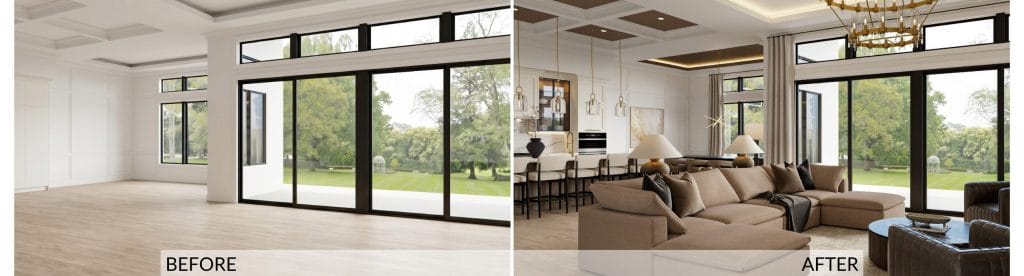
The result: The client’s vision, which included their inspo concepts and answers from the quiz, was a comfortable, neutral, transitional home interior with glamorous touches and some statement lighting. Our designer worked across multiple connected spaces in the main living area, addressing everything from coffered ceiling details to dog-friendly fabrics, as well as a hidden door integration.
3D renderings gave the client a clear preview of the scale and allowed confident decision-making on major purchases. Exclusive trade pricing through Decorilla reduced costs on furniture and decor, which released a larger part of the budget for the quality finishes the client desired. You can find more details about this project in its own story.
Personalized Decorilla AI + interior designer pros:
- Custom furniture models tailored to your needs, plus an accurate, detailed floor plan properly scaled and with an appropriate lighting scheme
- Authentic style ideas from multiple designers with professional guidance
- Shopping list with exclusive trade discounts, items delivered to your door by our white-glove shopping concierge service
Cons:
- Costs more than using AI for interior design initially, although the final price of the package with purchasing and executing can be lower or comparable
- It’s not an instant solution
Pricing
Decorilla’s once-off cost structure ranges from Bronze, Silver, and Gold packages. The entry tier for a full-room design starts at $539, but you can also get help per hour at $119/h.
Schedule a Free Online Interior Design Consultation with a professional today or Pick a Design Package that aligns with your needs to get started!
2. VisualizeAI
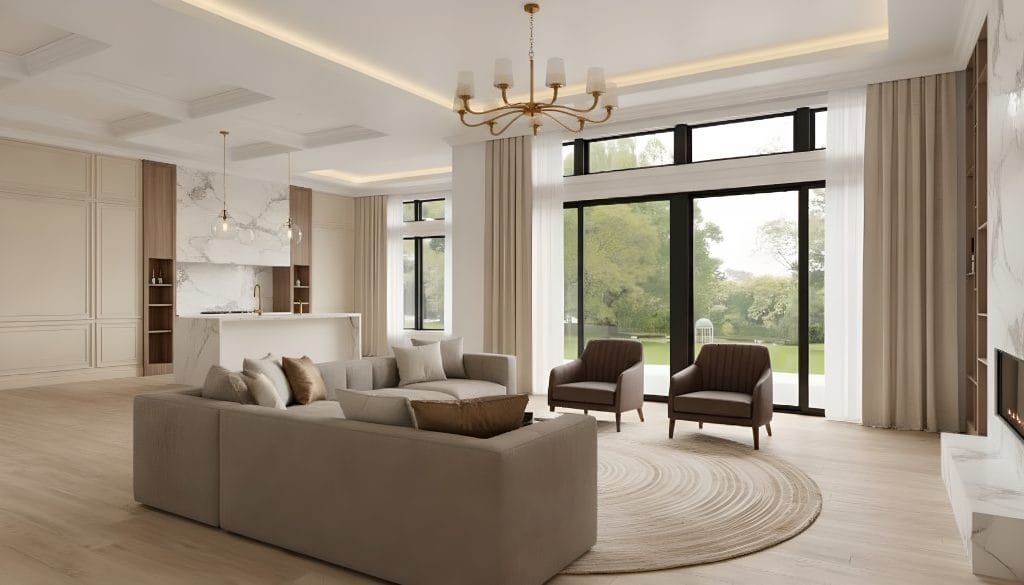
HOW IT WORKS: VisualizeAI is an AI room design tool that converts sketches and ideas into photorealistic interior renders. Users upload an existing image, sketch, or floor plan, select a room type and style, then add text prompts to refine the result. What makes it more usable than generic image generators is the prompt control. You can prompt it to add things to the room, but in a unique twist, you can also call attention to what you want it to exclude.
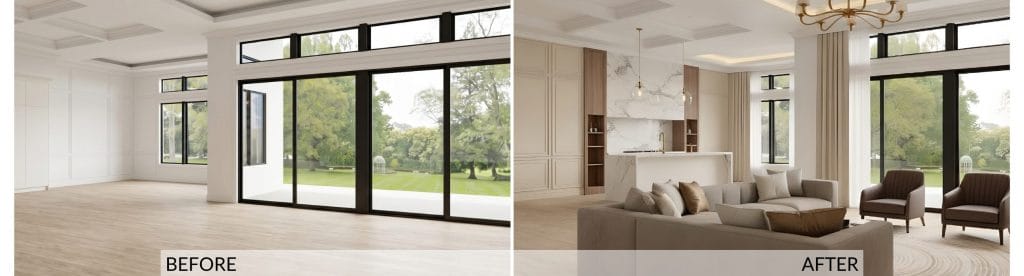
The Result: Architectural fidelity is good – that’s something generic AI generators often fail at. The generator kept the window proportions; the coffered ceiling and the linear fireplace are in the right position. The palette is also a win, while the round textured rug at least attempts to ground the seating.
The biggest problem is spatial. This room feels cavernous, it’s potentials not nearly utilized. The scale is off. The seating is floating in the middle distance with dead zones all around. It seems like the coffee table exists in the conversation layout, albeit it’s hard to tell for sure. And despite abundant free space and small kitchen, no dining set has been included in the layout.
Pros
- Holds the architecture faithfully, keeping the structural shell and key features correct.
- The palette is cohesive
- The tool applied features from the prompt as requested (just not all of them)
Cons
- Spatially and functionally it still leaves a lot to be desired
- Ignores parts of the prompt
Pricing
$19.99 for Basic, $29.99 for Pro
3. HomeVisualizerAI
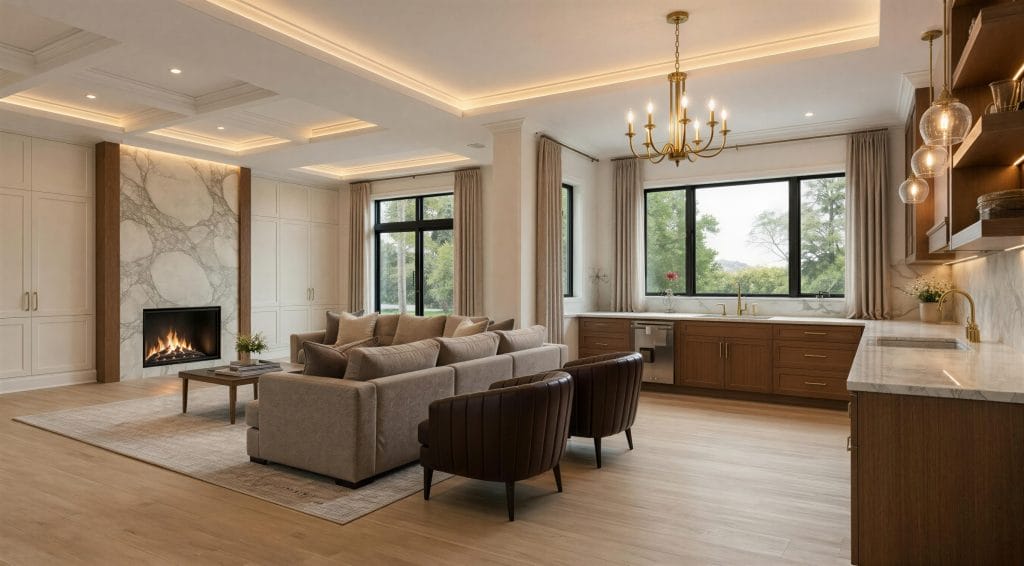
HOW IT WORKS: Home Visualizer AI works with photos as well as sketches or elevations. Users can upload an image of a room, pick from curated design styles or enter custom requests. A sliding scale lets you choose how “creative” the AI gets, or keep it close to the original. It handles interiors, exteriors, paint previews, kitchens, bathrooms, and landscapes. This is one of the tools that openly position themselves as an accessible visualization aid rather than a designer replacement.
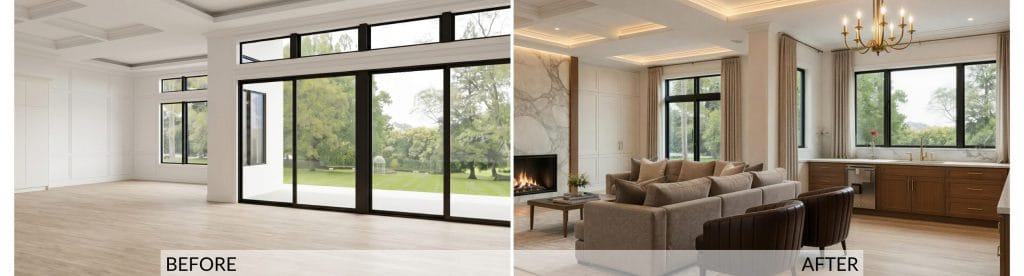
The Result: This AI room decorator took some unexpected liberties with the shell. The defining feature of the space is swapped for smaller punched windows inside a non-existent niche, where one half of the oversized L-kitchen now runs. The marble fireplace is nicely executed but moved to the opposite wall. Here we also find something for the first time in the test: a built-in storage. And it’s a good one. But the layout doesn’t resolve.
The sofa faces the fireplace while the chairs face… nowhere. The chandelier hangs over bare floor, large empty zones open up on the right and foreground, and the kitchen has stray elements and two sinks. No dining set, again.
Pros
- The marble fireplace wall and built-in cabinetry are well-executed moments
- The palette is warmer neutral than the other designs in the test, and it fits the space well
Cons
- Reinvents the architecture
- The seating doesn’t resolve into a coherent group, and the chandelier illuminates empty floor
Pricing
Starter Plan $15, Pro Plan $29, Ultra Plan $49, business Plan $99, all per month. Annual plans come with discount.
4. ChatGPT
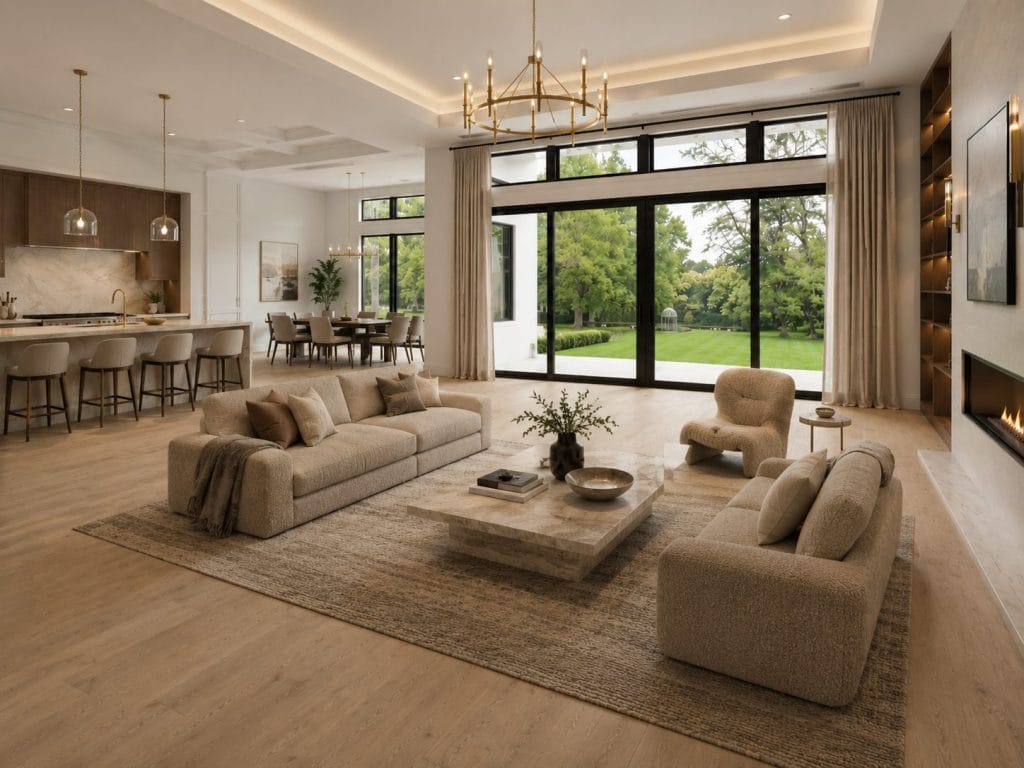
HOW IT WORKS: ChatGPT is a general assistant you can hand a room photo to. You describe the look you’re after in plain language, and its image generation returns a redesign based on the prompt. What sets it apart is the back-and-forth: you refine as much as you want, and it regenerates from the conversation.
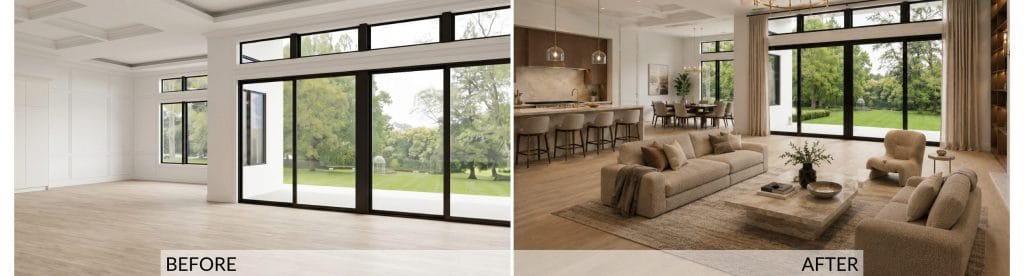
The Result: Finally we received a complete layout, as flowed as it is. The dining set is there, the kitchen is logically sized, the conversation area also relatively rounded up. At first, it seemed like a satisfactory outcome, but a second look revealed many typical AI issues.
The kitchen consists of the “inner” layer only, built into the non-existing wall niche. The storage is minimal. Around it, the paneling has disappeared too, and it’s almost impossible to say what is happening at the ceiling. As for the dining set, we see eight chairs evenly distributed in pairs, even though the table is not square but rectangle. The lounge scale is wrong, so it’s again floating in empty floor. Still, what we consider the main weakness of this design is tonal monotony: nearly everything is the same cream bouclé (why does AI love this shade so much?!), so the room flattens into one note with no contrast to break it up.
Pros
- All three zones resolved
- The conversation area has some logic behind it
- The fireplace wall is well-resolved
Cons
- Too many flows adding up
- The scaling is random
- Flat, dull aesthetics
Pricing
This one is not a dedicated AI interior design tool, it runs on ChatGPT – free tier with limited image generation, and Plus around $20/month
5. ArchiVinci
HOW IT WORKS: ArchiVinci runs in the browser and aims at architects and designers. One feature that sets it apart from other AI interior decorators is a slider that controls how far it strays from your original, which makes it good for exploring concepts and ideas. It also stretches past single rooms into exteriors, masterplans, and virtual staging.
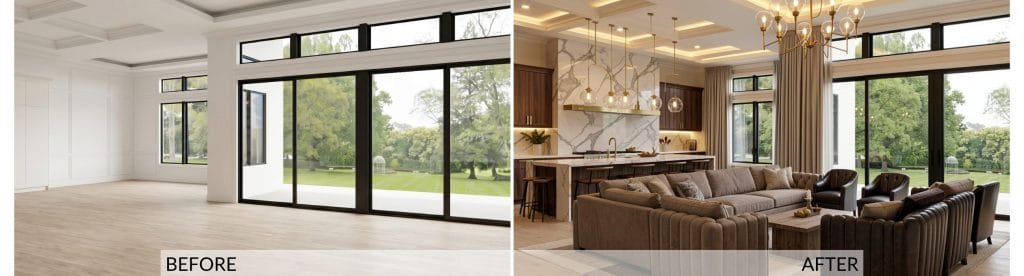
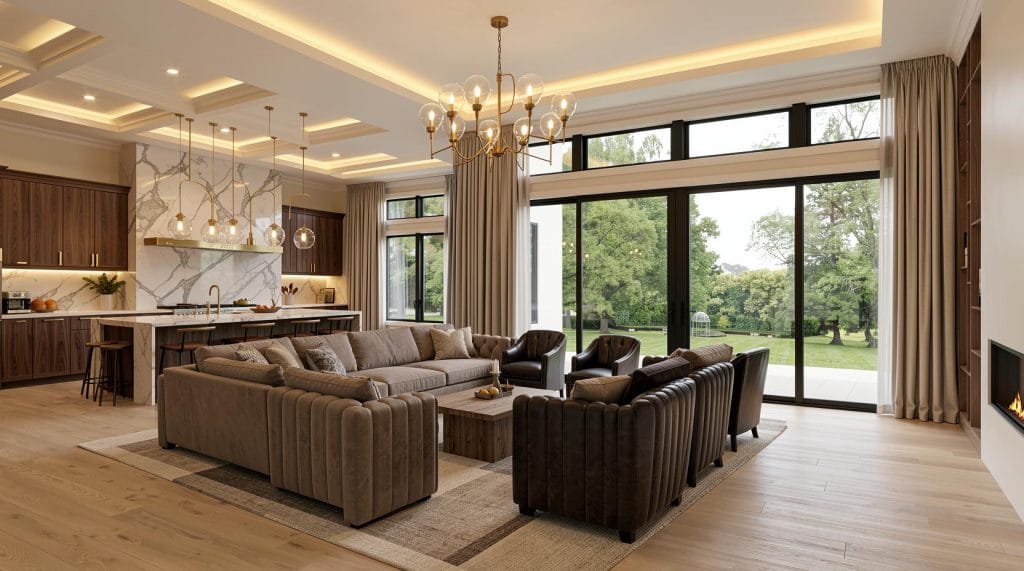
The Result: The architecture of the space is distorted again but not so much as with some other tested tools. It’s mainly the left niche and the trey ceiling above it, they both shrank. Styling and palette are convincing throughout. Here we also received a large, but not oversized kitchen as a full working space with its marble waterfall island and runs of bar stools.
Yes we said runs, as there are more than one. What undoes this design result most is the furniture count. The render rings the sectional with five leather club chairs, far more seating than the footprint wants, and the zone tightens into something congested. A single small coffee table sits at the center of all of it, too modest to anchor that much seating. No side tables or consoles to support the function, either. That shortage is mathematically compensated with myriad of pendants dropping in weird and unnecessary groupings, which feels like an ironic twist.
Pros
- Holds the architecture faithfully, keeping the structural shell and key features correct
- Keeps the kitchen program intact with the island and stools
- The palette is cohesive and the materials read convincingly
Cons
- Over-furnishes the seating zone with too many chairs
- The coffee table is undersized for the seating it serves
Pricing
$79/month or $549/year
6. Spacely AI
HOW IT WORKS: Spacely AI is an ideation-oriented, AI-driven platform. It offers you the ability to visualize and customize your living space with ease, using a variety of tools. It’s simple to use, with an intuitive interface and innovative features.
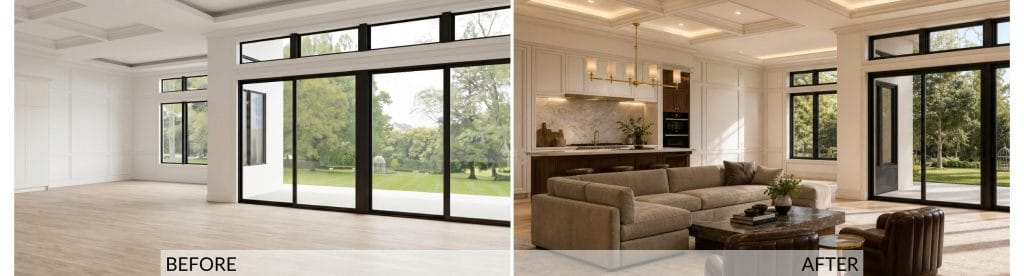
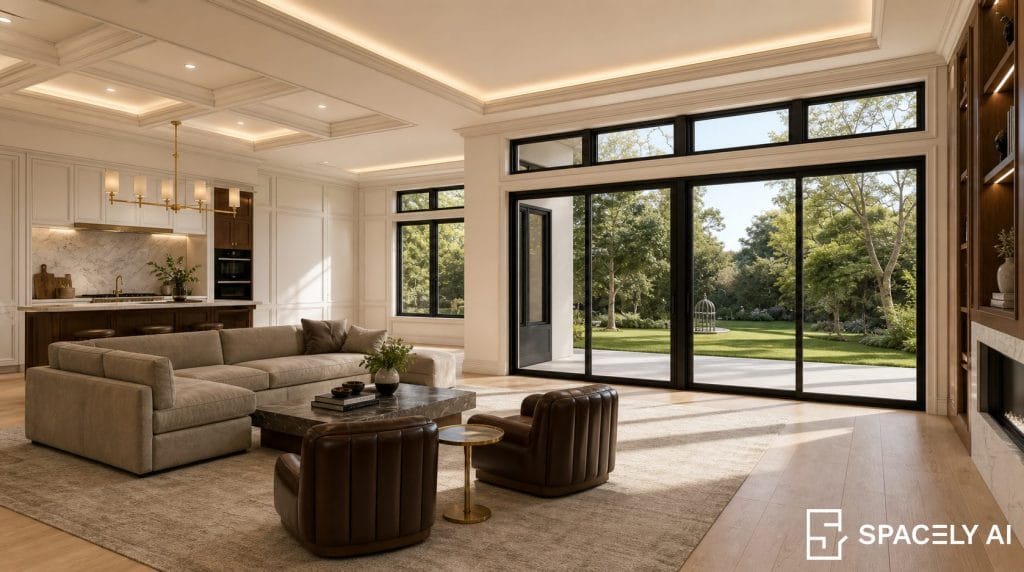
The Result: Architecture holds well here too, and the spatial plan is something that can be used for ideation. There is a real conversation grouping anchored on a rug, the kitchen looks beautiful and it’s sized properly. The lighting scheme is a bit indecisive but understandable nevertheless.
Again, the key problems are scale and space utility. The room’s footprint is generous enough to accommodate all three key zones comfortably and leave clear traffic paths. Still, the conversation area is cramped off-center with unproportionate elements touching each other on an oversized rug. Much dead space all around, and, as before, a dining set is missing despite the kitchen being present and the floor having room for one.
Pros
- This AI interior design tool respects the architecture and keeps the key features correct
- The output delivers a functional seating group
- The spatial plan is incomplete, but meaningful
Cons
- The seating is crowded and the rug placement is off
- The open-plan space is only half-done
Pricing
Starter Plan $15, Studio Plan $45, Business Plan $120. Annual plans come with discount.
7. Dehome
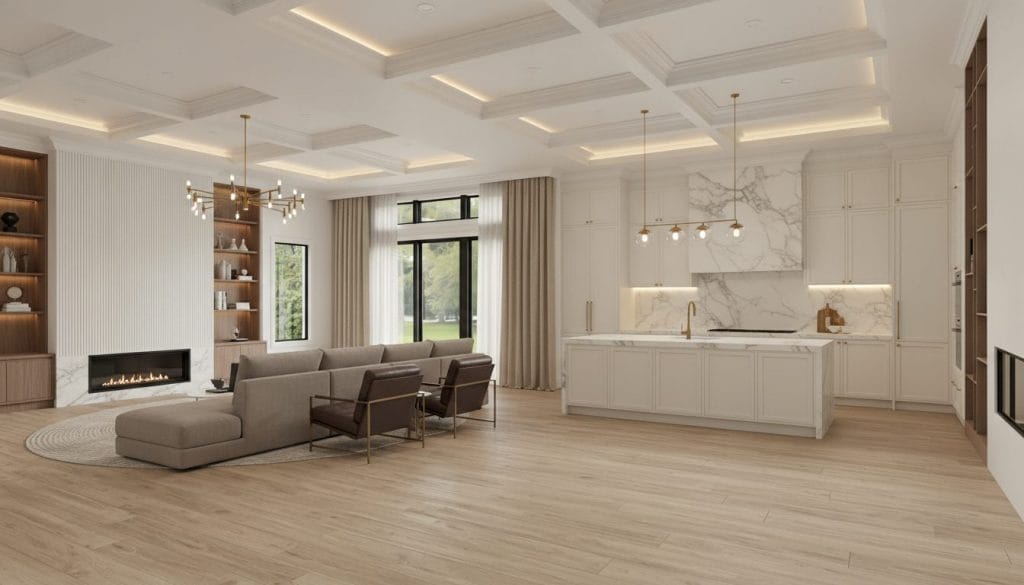
HOW IT WORKS: Dehome AI takes a photo of your space and turns it around into styled variations. You feed it the room, dial in a style and palette, add whatever specific notes you want reflected, and it generates, spending a few credits in the process. Beyond living rooms, it also reaches into exteriors and landscaping.
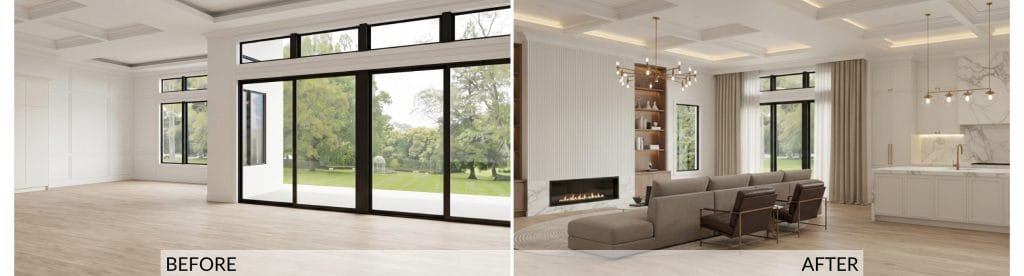
The Result: Despite the outcome, this tool does show some prospects. The ceiling is unified, with a proper, layered depth, and the kitchen is beautiful. Also, this was the first AI for interior design in our test that included some serious storage space in that area.
The seating, however, is shoved into the far left corner, jammed against the (second!) fireplace wall, while the two-thirds of the room sit bare. What makes it even more interesting is exactly the same layout riddle we faced with HomeVisualizerAI. It’s actually a good example of logic in AI’s mathematics that doesn’t necessarily agree with the logic of interior design. On top of that, the room’s architecture is a product of the algorithm’s free will, which is something Dehome users flag often.
Pros
- The kitchen is fully resolved and worked out in detail
- Storage space is abundant and meaningful
- Warm walnut, white cabinetry, and marble settle together without a clashing note
Cons
- Spatially, the tool doesn’t deliver
- The designed room is not the one it was supposed to design
Pricing
Starter $9.99 for 400 credits, Standard $29.99 for 1600 credits, and Professional $99.99 for 8000 credits.
8. Paintit.AI
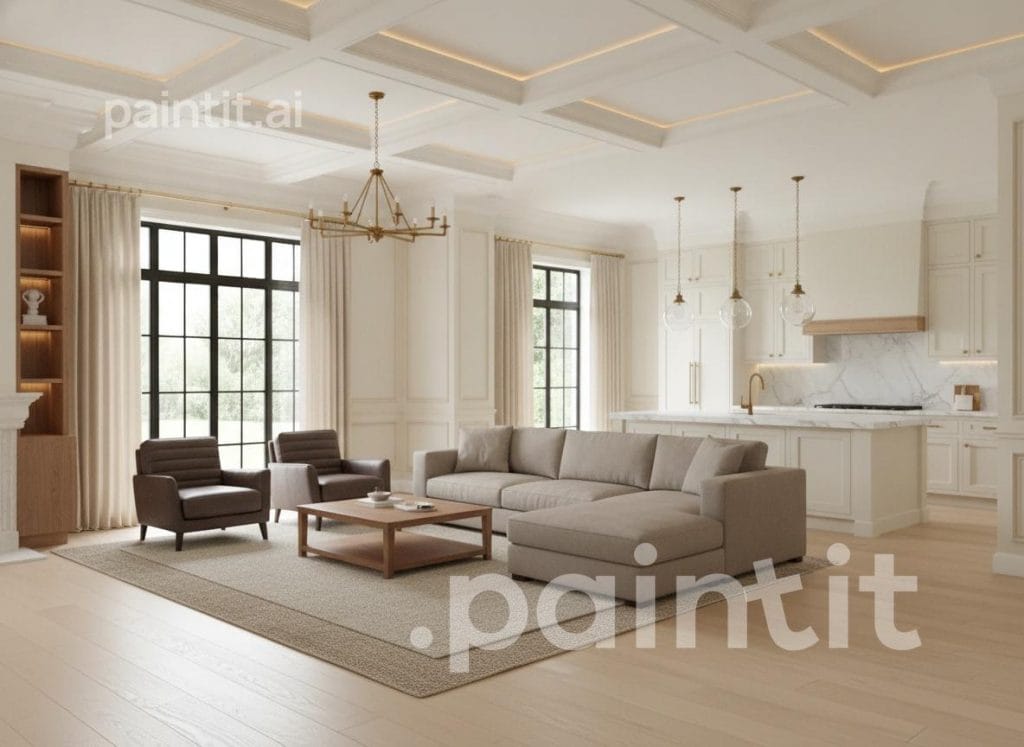
HOW IT WORKS: Paintit is a conversational AI interior design tool that maintains context across edits. Users upload a room photo and describe changes in natural language. The AI then recognizes which elements should remain intact while updating the specific areas addressed, so the spatial integrity of the room is mostly preserved through multiple rounds of iteration.
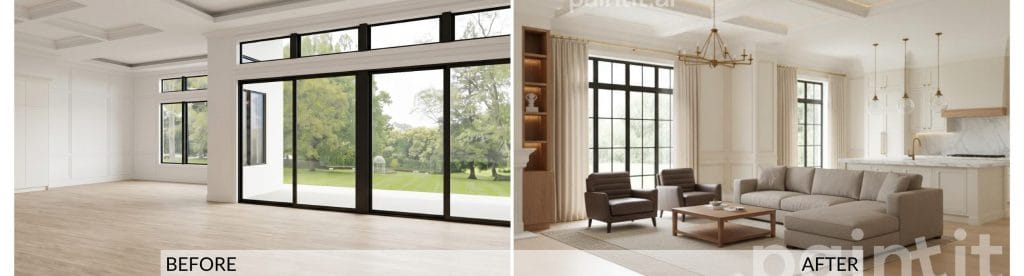
The Result: This tool delivered a polished, plausible space that shares only the general transitional flavor of the original. The render is clean and well-built, but it isn’t the same room. Paintit AI reinvented the architecture and then designed the interior to suit the new layout. However, inside that invented room the work is relatively competent on a basic level. Our main disappointment is the furnishing style of the conversational area which doesn’t do any favor to the room’s beautiful backbone.
What we found here as a standout feature is its shoppable component. Paintit.ai suggests real products from retailers like IKEA, Amazon, and others, although those findings might override what you described in the prompt, as our test output clearly illustrates.
Pros
- Context memory allows iterative refinement without starting over.
- Shoppable product suggestions
- Pinterest integration for style-matching based on saved inspiration.
Cons
- Niche or highly specific aesthetics may be underrepresented in the style library.
- Advanced customization controls require some training time.
Pricing
30 credits free, Starter $29.99/month for 500 credits, $59.99/month for 1500 credits, $159.99/month for 4500 credits
9. Palazzo
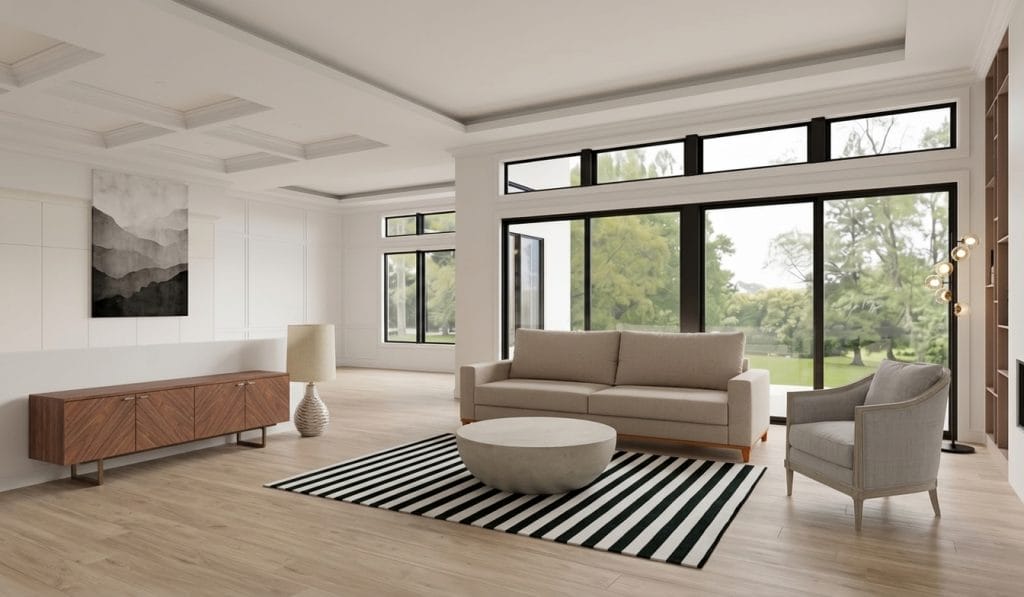
HOW IT WORKS: Palazzo is the Venus Williams–backed platform, built around a conversational assistant called Vinci. You start with an “Aesthetic DNA” chat, upload a photo, then choose the style from the limited selection. The tool will search through shoppable options it can access and deliver your design according to what it finds, which is not necessarily related to what you requested.
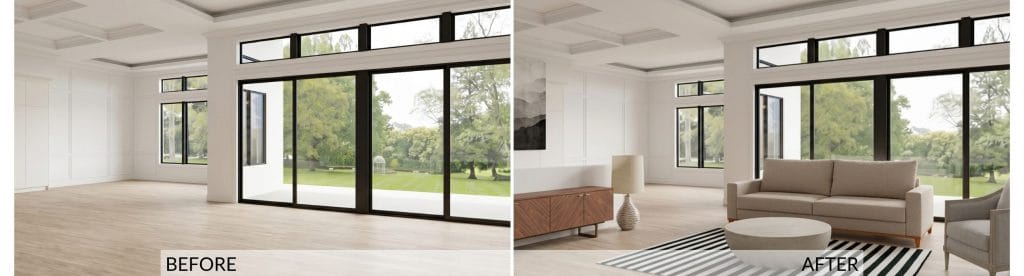
The Result: This is the thinnest layout of the set. Although the room’s architecture is preserved, together with perfectly iterated ceilings, it’s impossible to be sure of what, in the name of Escher, is happening behind the credenza. It looks like a wainscotting gradually transforming into a half-wall… or perhaps dispersing into another wall in the background.
Unsurprisingly at this point of the test, the dining set – along with the kitchen that anchored every other render – dropped entirely. The furniture that is present meanwhile fights its own scale. What did surprise us, though, is how wide is the gap between Palazzo’s marketed output and this single-pass result. The advertised polish might still be reachable, but only through repeated paid iteration that asks for devotion and skills.
Pros
- The walnut credenza is a clean, well-resolved piece with real grain character
- The tool respects room’s architecture
- Individual furnishings render crisply, with believable fabric and stone
Cons
- Strips the room nearly bare and drops the kitchen, leaving vast dead floor
- Proportion and scale are random
Pricing
Undisclosed, if any.
10. REimagine Home
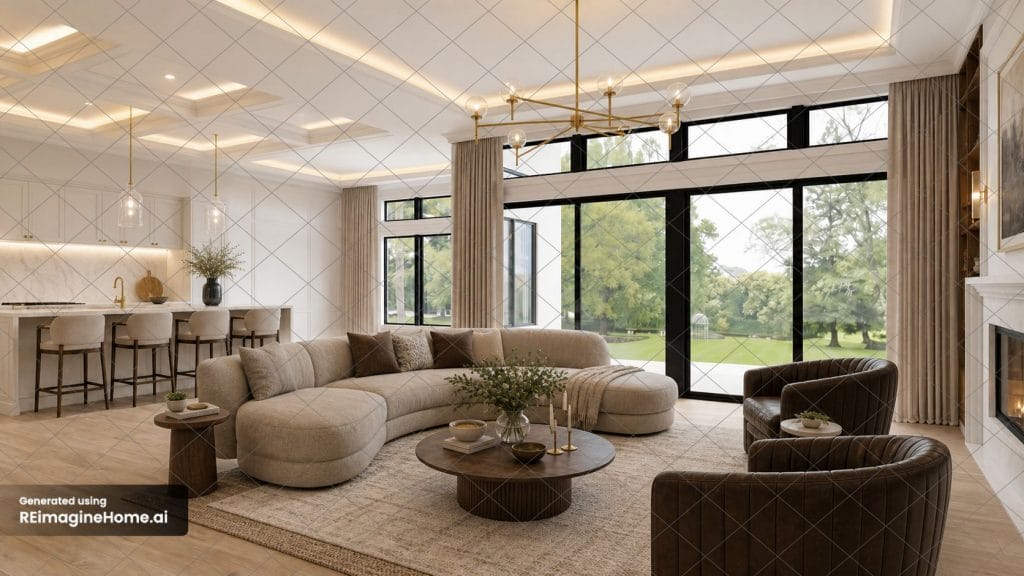
HOW IT WORKS: REimagine Home is an AI for interior design and virtual staging. Its specialized modes include Virtual Staging for real estate, Empty Space Mode that allows you to remove existing furnishings, and Outdoor and Landscaping mode for patios, gardens, and other exterior spaces
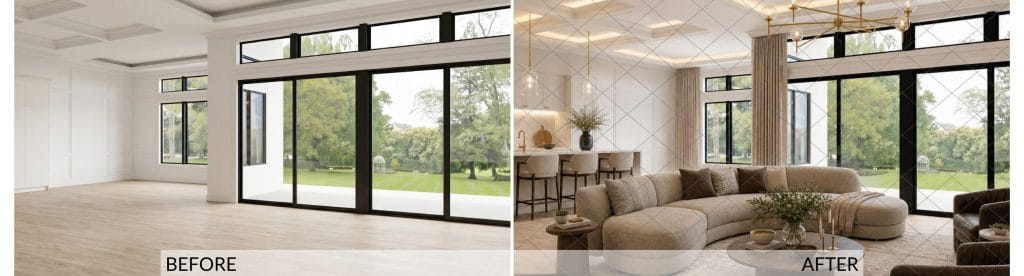
The Result: This one surprised us as one of the stronger outputs in the set. No need to emphasize that the architecture again holds cleanly, even the coffered ceiling’s lighting has been – apart from a few glitches – fully resolved for the first time. But this one also makes sense spatially. The curved sectional and the leather swivels face each other across a round coffee table, anchored on a logically sized layered rug (though we didn’t prompt for layering). The setup forms a real, usable conversation area that’s a tad more organic than we asked for.
The island gives the open plan a casual eating zone, which is good because once again, the dining area is missing from the layout. The kitchen is built-in inside the wall, but the original floor plan doesn’t allow for that move. Both armchairs are bulky and crowd the right corner, the lighting fixtures slightly undersized. No wall art. But in general, the weak points are fewer this time.
Pros
- Holds the architecture faithfully
- Resolves the layout into a balanced, functional seating group
- Keeps the kitchen program logical, with properly scaled island seating
Cons
- The scaling still not on-point and the visual weight not distributed
- Skips the dining set and a few other features
- The design comes with a watermark grid imprinted all over
Pricing
Essential Plan $19/month for 30 credits; The Pro plan $36/month for 200 credits; Advanced Plan $59/month for 400 credits; Agency Plan $119/month for 900 credits
Pros and Cons of Using AI in Interior Design
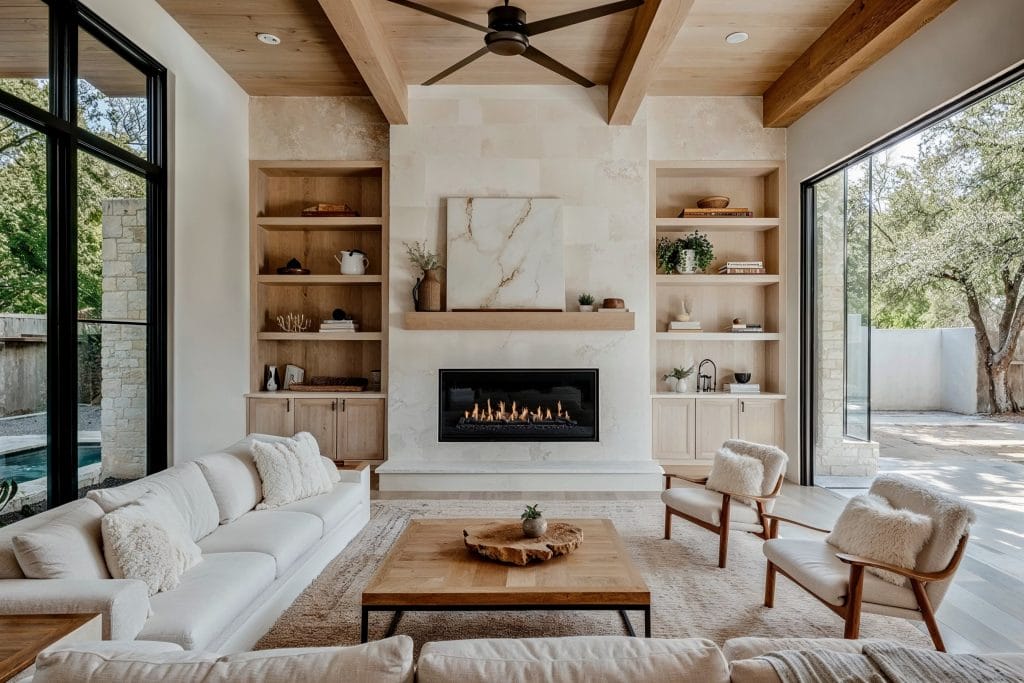
The exciting upcoming AI interior design is packed full of benefits. However, there are a few drawbacks to keep in mind too. While AI can assist and inspire, combining it with human expertise and creativity can lead to the best design outcome.
Benefits of an Interior Design AI App
- Design Inspiration: AI platforms expand creative possibilities
- Cuts Time and Initial Costs: AI-powered tools can streamline the design process. You can visualize and experiment virtually, which reduces time and reduces initial design costs.
- Accessibility: AI room design is available to anyone with an internet connection. Plus, some apps are free.
- Customization and Personalization: AI algorithms can learn from your preferences and tailor recommendations.
- Ease of Use: Some interior AI-generating platforms are very straightforward, with intuitive interfaces.
Drawbacks of Interior AI Creation
- Lack of Human Touch: AI lacks the nuanced creativity and authenticity that a professional designer can provide. That’s why it’s often best to use AI tools to support the design process.
- Real Design Cost: AI interior design delivers concepts. There is no adaptation or compromise to suit the output to your budget.
- Functionality: Daily life at home differs from one person to another. That requires interiors which cater to specific habits or storage needs. AI can’t resolve that in this phase, if ever.
- Limited Emotional Understanding: The subjective elements of interior design, like the feeling or ambiance of a space, need human intuition and judgment.
- Data Dependency: If the underlying data used to train the AI model is limited or biased, it may affect the quality and relevance of its suggestions.
- Technical Limitations: Most AI tools still struggle with intricate design tasks, accuracy, or offering high levels of customization.
- Duplicate Content: AI design generators could copy content from elsewhere or create similar content for multiple users using the same or similar prompts.
Frequently Asked Questions
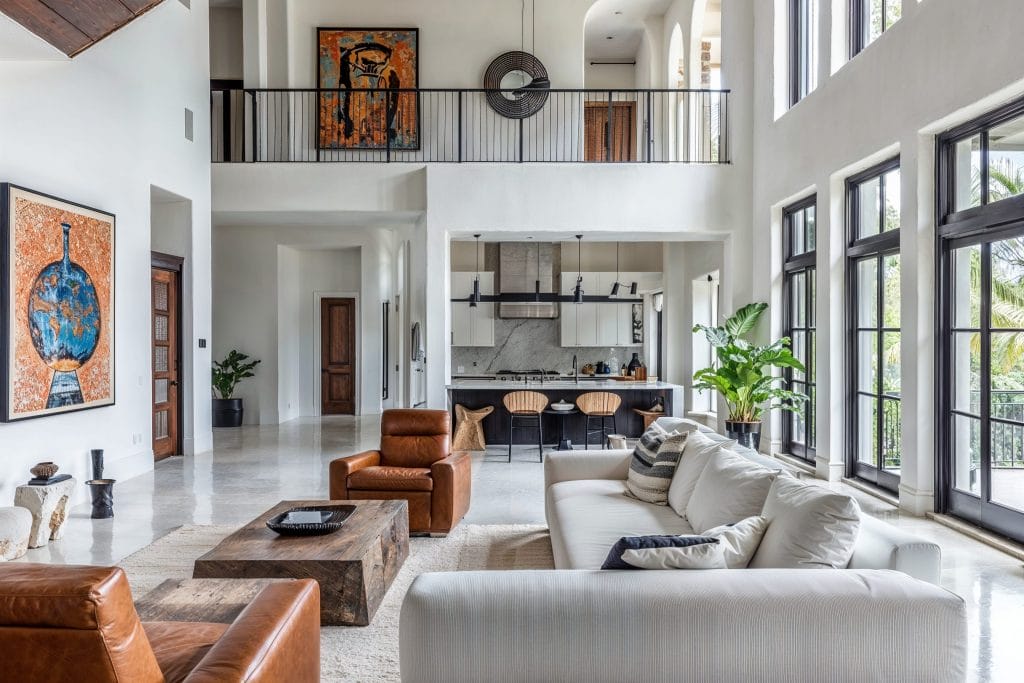
AI-powered software can analyze vast amounts of data, including trends, specific preferences, and global design patterns. It can help with style ideas, furniture picks, color palettes, and material selection to save time and inspire. Its algorithms can also adapt to provide better 3D visualizations in time.
AI algorithms learn and adapt from user feedback and industry trends. In this way, it ensures up-to-date design recommendations and stays ahead of evolving design styles. You can also use AI interior design for inspiration when you feel stuck.
While AI can automate certain aspects of interior design and provide insights, it is unlikely to replace human designers. Interior design involves a creative element that requires human intuition and emotion. Designers can interpret complex requirements, understand cultural nuances, and infuse unique features into their work. AI is a powerful tool, but without human assistance, there is no real personalization.
Many artificial intelligence home design tools offer a free trial or a free basic tier. However, the most usable results are delivered from a paid service, including realistic renderings and adaptations. This can be subscription- and token-based.
Decorilla represents a hybrid AI interior design solution, offering a more exact and customized approach with more bang for your buck, with pricing on a per-room basis.
AI-powered platforms and apps make interior design more interactive and accessible. You can explore and visualize design options remotely. Plus, you can upload images of your space and experiment with styles and features using the correct prompts and settings.
AI bots can also assist in real-time communication between designers and clients. For example, AI-powered VR or AR applications let clients walk through their designed spaces virtually.
Ready to Go Beyond AI-Generated Inspiration?
AI tools are a great starting point, but as we found, there’s a ceiling to what they can deliver on their own. If you’re ready to get a design that’s actually executable, start with a free Free Decorilla Interior Design Consultation today!






Comments